What Brick does well
Brick's strength is its physicality, and it is a clever, well-made idea. You stick a small hardware tag somewhere (a wall, a desk), and tapping your phone to it flips the phone into a focus mode that blocks the apps you chose. To get them back, you have to physically return and tap the Brick again. That real-world friction is powerful: it turns unblocking from a two-second in-app toggle into a deliberate trip across the room, which is exactly the commitment device some people need. For anyone who wants tangible, hard-to-cheat friction, and who likes the little ritual of physically committing to focus, Brick delivers something software alone cannot.
Where Brick may fall short
It is hardware, and hardware has costs that software does not. You have to buy the Brick up front, you have to keep it somewhere, and to unbrick while you are out you need it with you, which means one more object to carry, remember, and not lose. Away from your Brick, you either cannot unblock or cannot block, depending on the moment, which can be inconvenient at exactly the wrong time. The focus mode is also fairly all-or-nothing rather than a light, per-app touch, and it does not build a reflective habit; it enforces a state. If the idea of real friction appeals but the idea of buying, carrying, and managing a physical device does not, that mismatch is the whole reason this page exists.
You know you will talk yourself past a purely digital pause, and you want friction that is genuinely hard to cheat. You like the physical ritual of tapping to commit to focus. You are happy to buy the device and keep it in a fixed place, mostly using it at home or a desk. If tangible, all-or-nothing friction is what actually works for you, Brick's hardware approach has a real edge.
You do not want to buy a device, or carry and manage one more object. You would rather a lighter, per-app pause than an all-or-nothing focus mode. You want the tool to build a reflective habit, not just enforce a state. You want it to work anywhere without remembering to bring a tag. If you like the idea of real friction but not the hardware, a software pause gives you intervention without the object.
How Pax Gate is different
Brick puts the friction in a physical object; Pax Gate puts it in the moment. There is nothing to buy, carry, or tap. Instead of flipping your whole phone into an all-or-nothing focus mode, Pax Gate places a short pause at the moment you open a specific app, filled with a gratitude prompt, a reflection, or a check-in with Pax, the panda companion. It is per-app rather than all-or-nothing, it travels everywhere because it is simply part of your phone, and it builds a practice over time rather than enforcing a session and ending. You get the intervention without the object, and a companion instead of a commitment device.
Honest note: a physical tag is genuinely harder to cheat than a software pause, so if maximum, tangible friction is what you need, Brick keeps an edge there, and we will not pretend a pause is impossible to move through. Pax Gate is also Android-first, with iOS planned, while Brick works with both platforms. If you are on Android and want a software intervention without a device, join the Pax Gate waitlist now; iPhone users can join for the iOS release.
The intervention, minus the hardware
Tap any screen to open it full size.
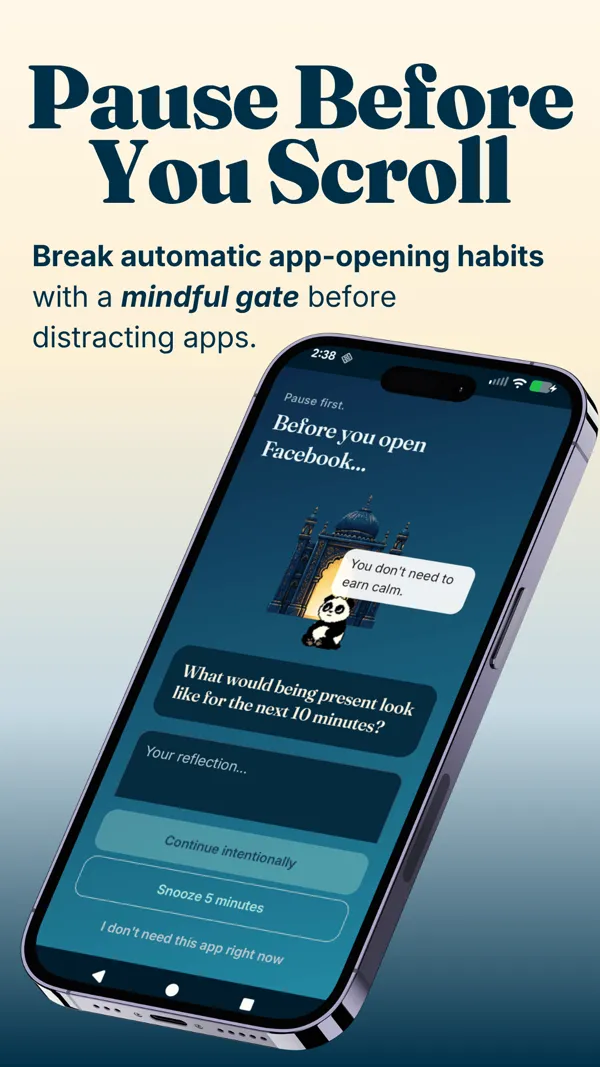
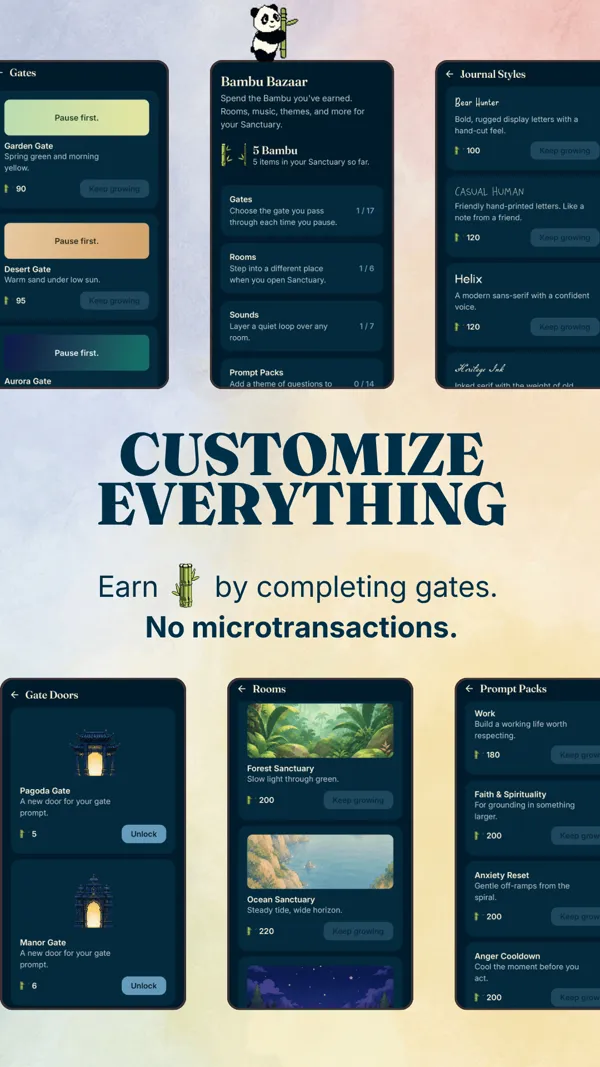
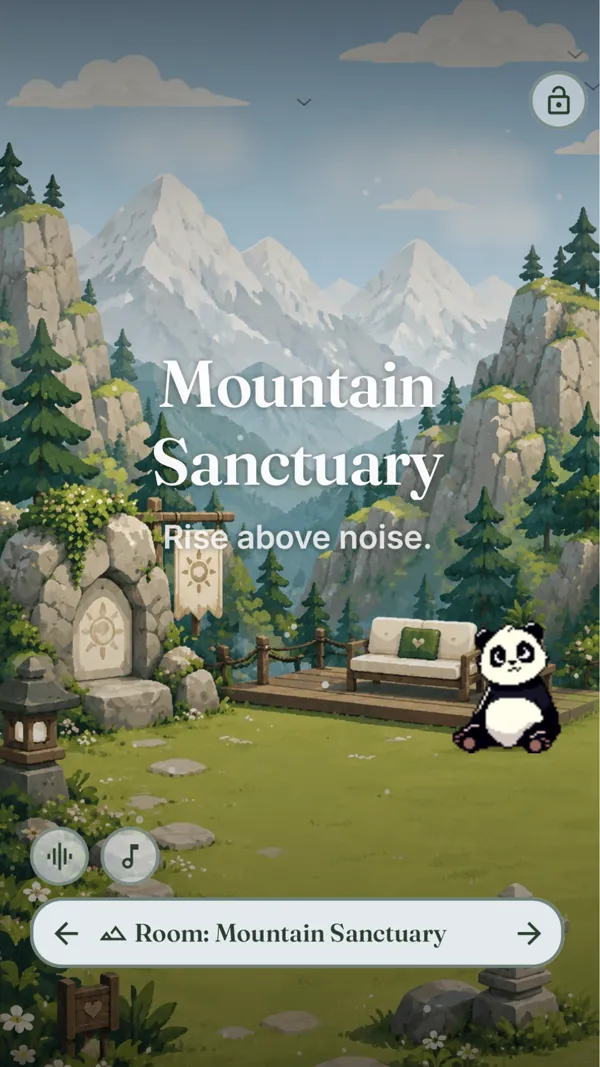
You want intervention without buying, carrying, or managing a physical device. You prefer a gentle, per-app pause to an all-or-nothing focus mode. You want the tool to build a reflective habit over time, and to work anywhere without remembering a tag. You would rather have a companion than a commitment gadget. You are on Android, or happy to join the waitlist for iOS.
Feature comparison
| Brick | Pax Gate | |
|---|---|---|
| Mechanism | Tap a physical device to enter focus mode | Pause at unlock with a gratitude or mindfulness prompt |
| Hardware required | Yes (buy the Brick device) | None; software only |
| Granularity | All-or-nothing focus mode | Per-app pause |
| Platforms | iOS and Android (with the device) | Android first (iOS planned) |
| Cost | One-time hardware purchase | Free to try; paid for the full experience |
| Friction strength | Very high (physical, hard to cheat) | Gentle pause you can move through |
| Builds a habit | No; enforces a focus state | Yes (gratitude practice over time) |
| Companion | No | Yes (Pax the panda) |
Best choice by use case
- You want maximum, tangible friction you cannot easily cheat: Brick. The physical tap is genuinely hard to talk past.
- You do not want to buy or carry a device: Pax Gate, which delivers the intervention entirely in software.
- You like an all-or-nothing focus ritual at a desk: Brick, whose focus mode suits a fixed spot.
- You want a gentle, per-app pause that works anywhere: Pax Gate, which travels with your phone.
- You want the tool to build a habit, not just enforce a state: Pax Gate, whose practice compounds over weeks.
Try Pax Gate
Join the waitlist for early access. The intervention without the hardware: a mindful pause, a per-app touch, and Pax the panda, all in the phone you already carry.
Join the Pax Gate waitlist Android first, iOS planned. No device to buy, unbox, or lose.Want to compare more than two apps?
The Pax Gate Comparison Tool puts Pax Gate side by side with ScreenZen, Opal, Forest, and One Sec, with an honest verdict for each.
Open the Comparison ToolCompare other alternatives
FAQ
What does Brick do well?
Brick's strength is its physicality, and it is a genuinely clever idea. You stick a small hardware tag somewhere, and tapping your phone to it flips the phone into a focus mode that blocks your chosen apps. To get them back, you physically return and tap the Brick again. That real-world friction is powerful: it turns unblocking from a two-second toggle into a deliberate trip across the room, which is exactly the commitment device some people need.
Why look for a Brick alternative?
Because it is hardware, and hardware has costs software does not. You buy the Brick up front, you keep it somewhere, and to unbrick on the go you need it with you, which is one more object to carry, remember, and not lose. Away from your Brick, you either cannot unblock or cannot block. The focus mode is also all-or-nothing. If you like the idea of real friction but do not want to buy, carry, and manage a physical device, a software pause gives you intervention without the object.
How is Pax Gate different from Brick?
Brick puts the friction in a physical object; Pax Gate puts it in the moment. There is nothing to buy, carry, or tap. Instead of flipping your whole phone into an all-or-nothing focus mode, Pax Gate places a short pause at the moment you open a specific app, filled with a gratitude prompt, a reflection, or a check-in with Pax the panda. It is per-app, travels with your phone, and builds a practice over time. Pax Gate is Android-first with iOS planned, and free to try, paid for the full experience.
Is a physical blocker better than an app?
It depends on what you value. A physical blocker like Brick creates friction that is genuinely hard to cheat, a real advantage if you know you will talk yourself past a digital pause. The cost is that you must buy it, carry it, and manage it, and it tends to be all-or-nothing. A software approach like Pax Gate has nothing to carry and can be gentler and per-app, but a determined person can move through a software pause more easily than a trip across the room. Need maximum friction? Brick. Want intervention without an object and a practice that builds? Software.
Do I need to buy anything to use Pax Gate?
No hardware, ever. Pax Gate is entirely software, so there is nothing to purchase, unbox, mount, or carry. It is free to try, with a free tier that includes the core pause-at-unlock blocker, and a paid tier for the full practice layer. Brick, by contrast, requires buying the physical device up front. If avoiding a hardware purchase and one more object to manage is part of why you are looking, that is exactly the gap Pax Gate fills.
Can I use Pax Gate on iPhone?
Not yet. Pax Gate is Android-first, with an iOS version planned. Brick works with both iOS and Android through its app and hardware. If you are on Android and want a software intervention without a device to carry, join the Pax Gate waitlist for early access now. If you are on iPhone, join the waitlist to be notified when the iOS version arrives.