
What Freedom does well
Freedom is one of the most capable hard blockers in the category, and its strengths are genuine. It blocks both apps and websites across every device you own, iOS, Android, Mac, Windows, and Chrome, and keeps them in sync so a block applies everywhere at once. It runs on schedules and recurring sessions, and its Locked Mode can make a block genuinely hard to cancel once it has started, which is exactly what some people need to protect a focus block from their own weaker moments. For scheduled deep work, website blocking, and cross-device enforcement, Freedom is mature, trusted, and effective, and nothing here is meant to take that away.
Where Freedom may fall short
A hard block is a blunt instrument, and blunt is not always what the phone habit needs. Freedom's philosophy is lock the apps and do not let me back in. That is excellent for a scheduled work session and less suited to the constant pickup-and-scroll reflex that runs through the rest of the day. An all-or-nothing block during ordinary hours can breed resentment and a quiet game of disabling it, and, importantly, it does not build anything: when the session ends, the underlying habit is unchanged. Freedom stops you for a while; it does not retrain the reflex. If your real issue is the automatic grab for the phone rather than a need to lock yourself out during work, a wall may hold for the session and then leave the pattern exactly where it was.
You want to guarantee you cannot access certain apps or websites during set windows, such as focused work blocks. You need cross-device and desktop coverage, including website blocking on a Mac or PC. You value a strict Locked Mode that you cannot easily cancel. If your problem is scheduled focus and hard enforcement across devices, Freedom is one of the best tools for the job.
Your issue is the reflexive, all-day phone pickup rather than a need to lock yourself out during work. You have found that a hard block just turns into a game of disabling it. You want the tool to actually change the habit, not just pause it for a session. You would rather keep your agency and be reminded to choose than be walled off entirely. If that sounds like you, a pause may hold better than a lock.
How Pax Gate is different
Freedom says no. Pax Gate says wait, breathe, then choose. Instead of locking an app so you cannot open it, Pax Gate places a short, intentional pause at the moment of unlock, filled with a gratitude prompt, a reflection, a noticing exercise, or a check-in with Pax, the panda companion. You can still go in, but you go in awake and on purpose rather than on autopilot, and because your agency stays intact, there is nothing to rebel against. Over weeks, the pauses stack into a practice, so the reflex itself slowly changes rather than just being blocked during a window. It is a different philosophy for a different problem: Freedom is a scheduled wall for deep work; Pax Gate is a mindful doorway for the everyday reach.
Honest caveats: Pax Gate does not block websites or run on desktop, and it does not offer a strict, uncancellable lock, so for cross-device website blocking Freedom is the better tool. And Pax Gate is Android-first, with iOS planned, while Freedom runs on iOS, Android, Mac, Windows, and Chrome today. If you need desktop or cross-device coverage now, Freedom is the option that exists; if the phone is your issue and you are on Android, Pax Gate is built for exactly that.
A doorway, not a wall
Tap any screen to open it full size.
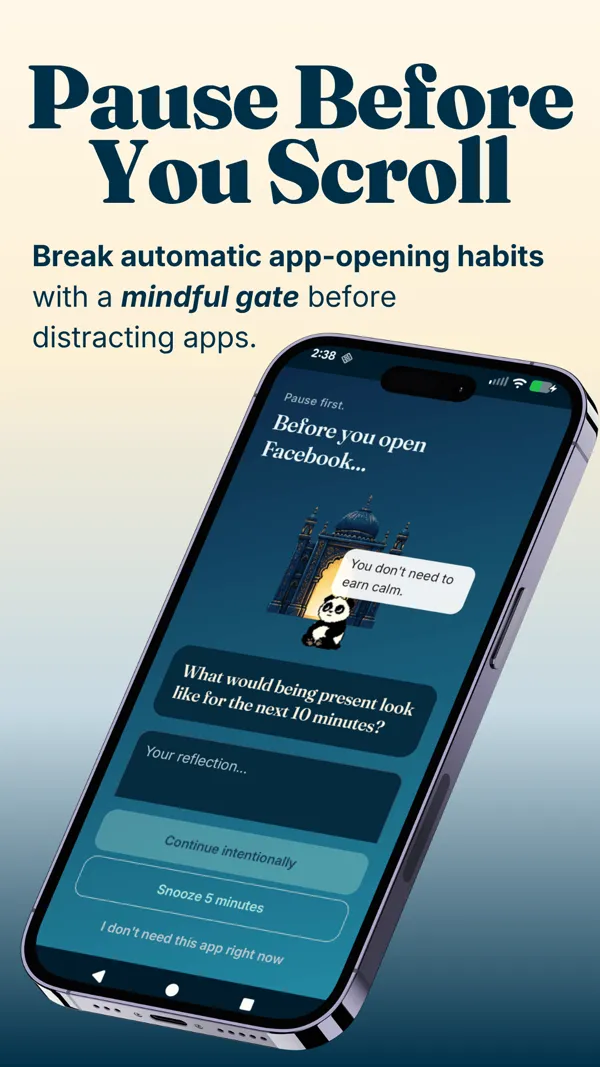
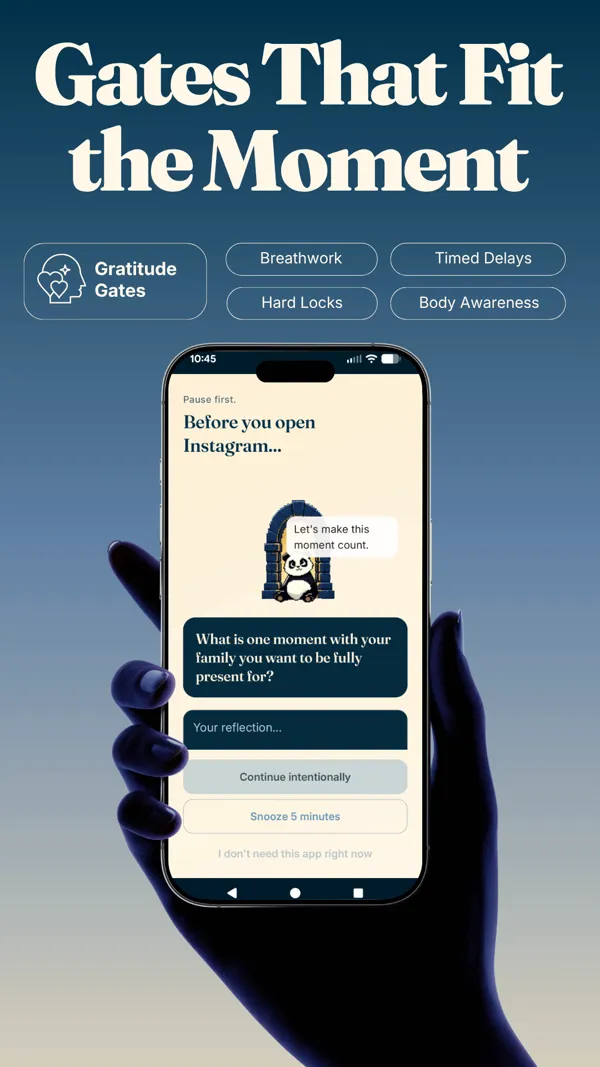
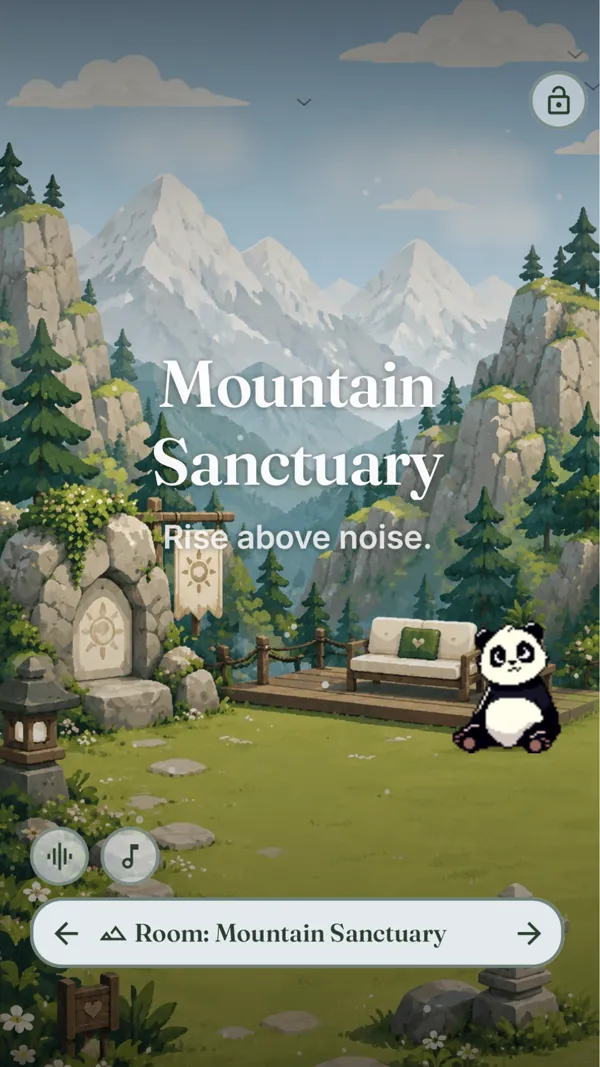
Your problem is the everyday phone pickup reflex, not a need to lock yourself out during work. You want the pause to keep your agency and slowly retrain the habit rather than fight it. You would rather build a gratitude practice than start a scheduled block. You are on Android, or happy to join the waitlist for iOS.
Feature comparison
| Freedom | Pax Gate | |
|---|---|---|
| Mechanism | Hard block on a schedule; Locked Mode | Pause at unlock with a gratitude or mindfulness prompt |
| Philosophy | Lock it and do not let me in | Wait, breathe, then choose |
| Platforms | iOS, Android, Mac, Windows, Chrome | Android first (iOS planned) |
| Blocks websites | Yes, across devices (a core strength) | No; phone apps only |
| Cost | Subscription (about $40 a year, or lifetime) | Free to try; paid for the full experience |
| Builds a habit | No; pauses access for the session | Yes (gratitude practice over time) |
| Companion | No | Yes (Pax the panda) |
| Best for | Scheduled deep work and desktop blocking | The everyday phone pickup reflex |
Best choice by use case
- You need to lock yourself out during focused work: Freedom. A strict scheduled block is exactly what that calls for.
- You need cross-device or desktop website blocking: Freedom, which covers Mac, Windows, and Chrome.
- Your problem is the all-day phone pickup reflex: Pax Gate, whose pause is built for that specific habit.
- You want the tool to change the habit, not just pause it: Pax Gate, because the practice compounds over weeks.
- You are on Android and want a gentler approach than a wall: Pax Gate. Join the waitlist for early access.
Try Pax Gate
Join the waitlist for early access. A pause you can move through, that slowly changes the reflex instead of just walling it off.
Join the Pax Gate waitlist Android first, iOS planned. We will tell you plainly when your platform is ready.Want to compare more than two apps?
The Pax Gate Comparison Tool puts Pax Gate side by side with ScreenZen, Opal, Forest, and One Sec, with an honest verdict for each.
Open the Comparison ToolCompare other alternatives
FAQ
What does Freedom do best?
Freedom is one of the most powerful hard blockers available. It blocks both apps and websites across every device you own (iOS, Android, Mac, Windows, Chrome) and keeps them in sync. It runs on schedules and recurring sessions, and its Locked Mode can make a block genuinely difficult to cancel once started, which is exactly what some people need. For deep-work sessions, website blocking, and cross-device enforcement, Freedom is mature, trusted, and effective.
Why look for a Freedom alternative?
Because a hard block is a blunt instrument, and blunt is not always what the phone habit needs. Freedom's philosophy is lock the apps and do not let me back in, which works for scheduled deep work but can breed resentment for the all-day pickup reflex. It also does not build anything: when the session ends, the habit is unchanged. If your issue is the reflex to grab your phone rather than a need to lock yourself out during work, a pause-and-choose approach often changes the pattern more durably than a wall.
How is Pax Gate different from Freedom?
Freedom says no. Pax Gate says wait, breathe, then choose. Instead of locking an app, Pax Gate puts a short pause at unlock, filled with a gratitude prompt, a reflection, or a check-in with Pax the panda. You can still go in, but awake and on purpose, and over weeks the pauses build a practice. Freedom is a scheduled wall for deep work; Pax Gate is a mindful doorway for the everyday reflex. Pax Gate is Android-first with iOS planned.
Is a pause better than a hard block?
Neither is universally better; they suit different problems. A hard block like Freedom is better when you must guarantee you cannot access something during a set window. A pause like Pax Gate is better for the reflexive, all-day pickup, because it keeps your agency and slowly retrains the reflex rather than fighting it. Many people find a hard block breeds a game of disabling it, whereas a pause they can technically move through is one they are more likely to keep.
Does Pax Gate block websites like Freedom?
No. Website blocking, especially on desktop, is one of Freedom's core strengths and Pax Gate does not compete on it. Pax Gate is focused on the phone and the moment you open a distracting app, with a mindful pause rather than a hard block. If a large part of your distraction is websites on a laptop, or you need cross-device website blocking, Freedom is the better tool. If the phone pickup is your real issue, Pax Gate is built for that.
Can I use Pax Gate on iPhone or desktop?
Pax Gate is Android-first, with an iOS version planned, and it is phone-focused rather than desktop. Freedom runs on iOS, Android, Mac, Windows, and Chrome today, so if you need cross-device or desktop coverage, Freedom is the option that exists now. If you are on Android and your issue is the phone, Pax Gate is available via the waitlist, and iPhone users can join to be notified when the iOS version arrives.